


Luna: Ultra Zoom Camera 100x
3.723.00 Reviews
App Specs
- Version
- 1.0.9
- Updated On
- License
- Free
- Downloads
- 500,000+
- Developer
- Luckyman Game Studio
- Categories
- Photography
- Platform
- Android
Screenshots
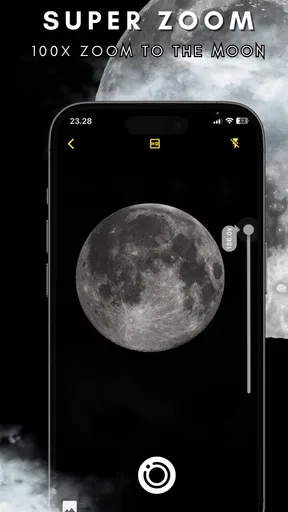
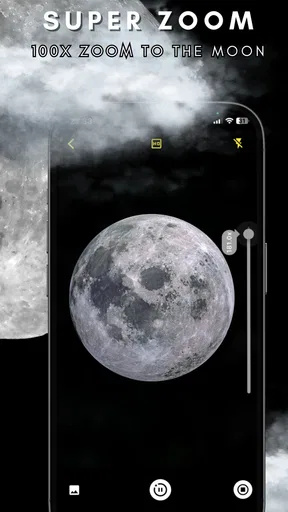
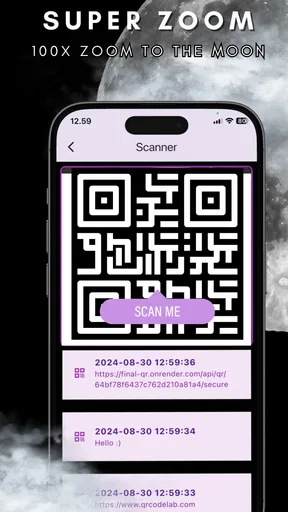
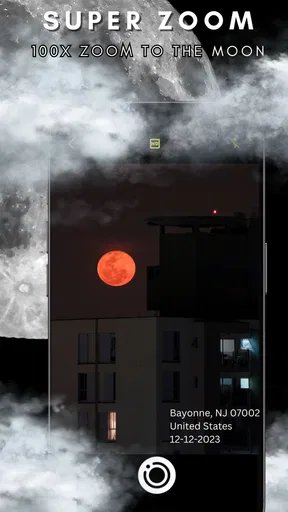
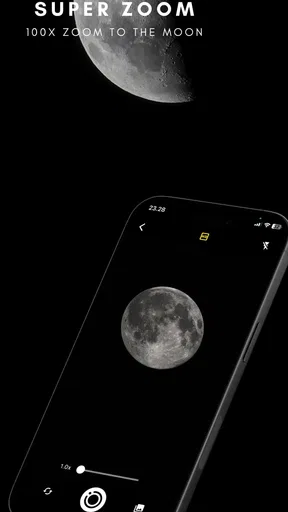
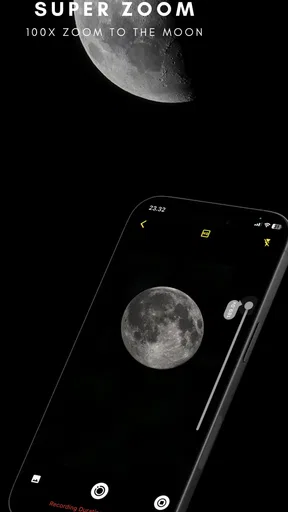
 Analysis by AppCompare
I approached Luna: Ultra Zoom Camera 100x as a lightweight photography experiment rather than a replacement for a dedicated camera. Its promise is easy to understand: bring an exaggerated zoom-style experience to an Android phone and make distant subjects feel closer. In practice, the value depends heavily on your handset, your lighting, and what you expect the final image to look like. I found it most interesting as a quick framing tool and a casual camera companion, not as a way to create genuinely long-lens photographs from an ordinary phone.
The app comes from Luckyman Game Studio and sits in the photography category. It is free to install, aimed at Everyone, and has attracted over 500 thousand installs. That reach makes sense because the concept is immediately appealing: open a camera, point at something far away, and explore a very large zoom range without carrying extra equipment. The important distinction is that an app can enlarge a view, but it cannot magically add optical detail that the phone's lens and sensor never captured.
How the zoom experience feels in everyday use
The first thing I would tell a friend is to treat the zoom control as a composition aid. At modest magnification, it can help isolate a sign, a building detail, a pet across a yard, or a subject at the other end of a room. Once the magnification becomes extreme, hand movement becomes much more noticeable and image quality becomes less predictable. That is not a flaw unique to this app; it is the basic trade-off of digital zoom on a small mobile sensor.
The advertised “100x” idea sounds dramatic, but the useful range is usually the range where you can still recognize texture and edges. At the upper end, I would use the preview to locate a subject rather than assume the saved result will preserve fine detail. This makes the app more practical for checking where something is, setting up a shot, or experimenting with perspective than for documenting distant wildlife, reading tiny text, or replacing binoculars.
For quick shooting, the appeal is its directness. I do not need to carry a separate camera or think about interchangeable lenses. A phone already in my pocket becomes a more exploratory tool. That convenience matters when I am walking, visiting a viewpoint, or trying to frame a small object without physically moving closer.
Speed expectations should remain realistic. Camera apps often feel responsive when the preview opens quickly and the controls react without hesitation, but zooming itself can expose the limits of the phone. High magnification makes even tiny movements look dramatic, and processing a captured image may feel less immediate than taking a normal phone photo. I would judge the experience by how quickly I can frame and recover from a missed shot, not by the number attached to the zoom label.
Where it is genuinely useful
One useful workflow is scouting before shooting. I can zoom toward a distant sign or architectural feature, find the angle I want, then step closer or switch back to the regular camera for the final image. In that role, the app adds flexibility without asking me to commit to the most aggressive setting. It is also handy for casual observation from a safe distance, such as checking a rooftop decoration or identifying which section of a large poster contains the information I need.
Worth Reading Before You Choose

Flipboard Shows What News Apps Must Do Beyond the Feed

Switching to Android Auto Means Rethinking Your Driving Routine

Google Calendar Makes a Crowded Week Easier to Manage

Ludo King Makes the Most of the Minutes Between Plans

Baby Panda World Brings Quick Play to Modern Phones, but Its Game Library Feels Busy

ESPN’s Live Game View Makes Following Close Games Easier
Another practical use is framing subjects that are difficult to approach. At a school performance, public event, or outdoor gathering, moving forward may be impossible or disruptive. The app can help me compose a tighter view from where I am standing. I would still keep expectations modest, especially indoors, where dim light and movement can make enlarged images look soft or noisy.
A less obvious tip is to stabilize the phone before increasing magnification. Resting it against a railing, wall, table, or folded hand can make a bigger difference than repeatedly dragging the zoom control. If the subject is static, I would also take several attempts rather than trusting the first frame. Extreme zoom magnifies framing errors, so a small change in position can matter more than another increase on the slider.
What happens during heavier use
A short session is the best fit for this kind of tool. Exploring distant subjects, taking repeated frames, and switching between magnification levels can demand more attention than ordinary point-and-shoot photography. The phone's own camera hardware, display, and image processing are doing much of the real work, so the experience will vary between devices. A newer phone with a capable camera system may feel more comfortable than an older handset running the same app.
During a longer outing, I would watch for the familiar signs of a phone working hard: a warmer body, faster battery drain, or a preview that becomes less comfortable to use. I cannot treat those effects as identical on every device, because screen brightness, camera hardware, background activity, and ambient temperature all matter. Still, a zoom-heavy camera session is not the sort of activity I would plan around a nearly empty battery.
There is also a concentration cost. At high magnification, the subject can leave the frame with one small hand movement. I found that lowering the zoom to locate the subject, then raising it gradually, is more reliable than beginning at the maximum level. This two-stage approach reduces wasted captures and makes the app feel more controlled, particularly when the target is moving.
For a realistic everyday scenario, imagine trying to photograph a bird perched on a distant balcony while walking through a park. I would first use a moderate setting to find the bird, brace the phone against something stable, and capture several frames. If the bird moved, I would lower the zoom again to reacquire it instead of chasing it through a highly magnified preview. The result might be a useful record, but I would not expect the clarity of a real telephoto lens.
Stability, interruptions, and recovery
Reliability here is not only about whether the camera opens. It is also about how gracefully the app handles ordinary interruptions: turning the screen, leaving the camera briefly, receiving a notification, or moving between bright and dim surroundings. My practical advice is to treat important shots conservatively. If an image matters, take a normal-camera backup as well, because the most ambitious zoom setting is the least forgiving part of the workflow.
Recovery after a missed frame is more important than a flashy maximum. A good routine is to return to a lower zoom, reacquire the subject, stabilize the phone, and then try again. That sounds simple, but it prevents the common mistake of fighting a magnified preview after the subject has already disappeared. The app is more enjoyable when I use it as a guided process rather than expecting one tap to produce a perfect distant photograph.
The current version is 1.0.9, so I would keep the app updated through the normal store process and pay attention to how it behaves on my particular phone. I would not assume that an update makes every device equally fast or stable. Camera compatibility is especially dependent on the operating system and hardware combination, and this app requires Android 7.0 or later.
One question many users will have is whether the app can turn a basic phone into a professional telephoto camera. My answer is no. It can provide a convenient zoom-oriented interface and help you inspect or frame distant subjects, but software enlargement cannot recover detail that was never recorded. If your priority is sharp wildlife photography, sports action, or clean distant portraits, a phone with a genuine telephoto lens or a dedicated camera is the better choice.
Device limits matter more than the headline
The app's performance should be judged alongside the phone's camera rather than separately from it. A device with optical zoom, optical stabilization, a brighter lens, or a stronger image processor may produce a more convincing result than an entry-level phone, even when both run the same application. On a simpler handset, the app may still be useful for framing, but the saved image may show softness sooner as magnification rises.
Screen size also affects control. A larger display can make it easier to follow a distant subject, while a compact phone may be easier to hold steadily. Neither is automatically superior. For extreme zoom, grip and stability are often more important than screen area. I would remove a bulky case if it makes the phone awkward to brace, but I would not sacrifice secure handling just to gain a little extra comfort.
Storage is another practical consideration when experimenting. Repeated captures are sensible because high magnification is difficult to nail in one attempt, but unsuccessful frames can accumulate quickly. I would review the gallery after a session and delete blurred duplicates. That simple habit keeps the camera workflow manageable and avoids confusing a large number of attempts with a large number of good photographs.
Lighting changes the experience dramatically. In daylight, distant subjects generally provide stronger contrast and the preview is easier to follow. At dusk or indoors, the phone may need more help from a steady grip, and movement becomes more damaging. I would not use this app as my first choice for dim, fast-moving scenes. A regular camera mode, night mode, or a better-equipped phone may produce a more dependable result.
How it compares with the usual alternatives
The standard camera app remains the strongest alternative for many people because it is already integrated with the phone and usually offers the most predictable access to the device's own lenses. It may also handle automatic exposure, stabilization, and lens switching in a way that feels more natural for everyday photography. I would choose the regular camera when I care more about dependable image quality than experimenting with a very large zoom range.
A dedicated camera with a real telephoto lens is a different class of tool. It is less convenient, costs more in equipment and space, and requires more practice, but it captures distant detail rather than simply enlarging a smaller image. For travel snapshots, casual observation, and curiosity, Luna is easier to carry. For serious long-distance photography, the dedicated option wins clearly.
Binoculars are another useful comparison. They are better for sustained observation because they are designed for viewing rather than saving photographs, and they do not create the same expectations about image quality. If I only need to inspect a distant object, binoculars may be more comfortable. If I want a quick visual record from the phone I already have, this app is more convenient.
The free entry point makes experimentation easy, but in-app purchases range from about nine dollars and forty-nine cents to about seventeen dollars and ninety-nine cents per item. That is a meaningful consideration before spending money. I would use the free experience long enough to decide whether the controls and results suit my phone. I would not pay simply because the maximum zoom number sounds impressive; the purchase only makes sense if the actual workflow solves a problem I regularly have.
Who should try it and who should skip it
I think it suits curious phone photographers, travelers who want a compact way to explore distant details, and people who enjoy testing unusual camera perspectives. It can also help someone learn the practical limits of digital zoom. Used thoughtfully, it encourages better habits: stabilize first, frame at a lower level, and treat multiple attempts as normal.
I would skip it if my main goal is professional-looking telephoto work, reliable low-light photography, or crisp images of fast-moving subjects. I would also hesitate if my phone already has a strong native zoom system and I prefer a camera experience that is fully integrated with the device. In that situation, the usual camera app may be simpler and more consistent.
The age rating of Everyone makes it approachable for general users, but approachable does not mean foolproof. Young or inexperienced users may assume that a larger zoom value guarantees a better photograph. I would explain the difference between enlarging a view and capturing more detail before handing it to someone who expects camera-like results at every setting.
My performance verdict
After looking at the app through the lens of speed, heavy use, stability, and device limits, I see it as a specialized photography utility with a playful edge. Its strongest quality is convenience: it gives a phone user a simple way to investigate distance and experiment with framing. Its weakest point is the unavoidable gap between an extreme digital zoom claim and the detail a small mobile camera can genuinely preserve.
The public response is mixed but substantial, with an average rating of about 3.7 from around 7.5 thousand ratings. I read that as a sign that the idea attracts attention while the results will depend strongly on expectations and hardware. It is free, supports Android 7.0 and later, and is easy to test without committing money immediately. Those factors make trying it reasonable, provided you judge it with real-world subjects rather than promotional-style assumptions.
My recommendation is to install it if you want a casual zoom tool, a way to scout distant subjects, or a photography app that encourages experimentation. Start in good light, keep the phone steady, use moderate magnification for final photos, and compare the results with your normal camera. The best reason to use Luna is practical convenience, not the promise of impossible detail. If that distinction matches what you want, Luckyman Game Studio's app can be enjoyable and occasionally useful; if you need dependable long-range image quality, invest your attention in better hardware instead.
Pros
- Offers extreme digital zoom for distant subjects.
- Simple controls make zooming quick and accessible.
- Useful for casual moon and landscape viewing.
- Includes a familiar camera-style interface.
- Can help frame distant details before taking a photo.
Cons
- 100x zoom can produce heavy blur and image noise.
- Results depend strongly on your phone’s camera hardware.
- Stabilization may be limited at maximum magnification.
- Low-light photos often lose detail and color accuracy.
- Some features may require ads or in-app purchases.
FAQs for Luna: Ultra Zoom Camera 100x
What is Luna: Ultra Zoom Camera 100x, and how does it work?
Luna: Ultra Zoom Camera 100x is a camera app designed to provide extreme digital zoom and additional controls for capturing distant subjects. In practice, the available zoom level depends heavily on your phone’s camera hardware, lighting, and image stabilization. The app can enlarge a scene beyond the native camera limit, but 100x zoom does not necessarily mean optical magnification or professional-quality detail.
Can Luna: Ultra Zoom Camera 100x really produce clear 100x photos?
The app may display a 100x zoom option, but the final image quality is limited by the smartphone’s lens and sensor. At very high magnification, photos can become soft, noisy, or shaky, especially in low light. The best results usually come from daylight, a steady surface or tripod, and a phone with a telephoto lens. Users should view the feature as digital enhancement rather than true 100x optical zoom.
Is Luna: Ultra Zoom Camera 100x compatible with all Android and iOS devices?
Compatibility can vary depending on the operating system version, camera permissions, and the hardware features exposed by each phone. Basic functions may work on many supported devices, while advanced zoom, stabilization, or manual controls may be unavailable on older models. Before downloading, check the app-store requirements and confirm that your device has a functioning rear camera and enough free storage.
Does Luna: Ultra Zoom Camera 100x require internet access or contain advertisements?
Camera applications commonly request access to the device camera and may also ask for permission to save photos or videos to local storage. Whether Luna works fully offline, displays advertisements, or offers optional paid features depends on its current version and store listing. Review the permissions, privacy information, subscription details, and in-app purchase section before installing, particularly if you want an ad-free experience.
Is Luna: Ultra Zoom Camera 100x safe to use for taking and saving photos?
The app should be downloaded only from an official Google Play or Apple App Store listing to reduce the risk of modified or unsafe versions. When opening it, review every permission request and allow only access needed for camera operation and saving media. Avoid granting contacts, microphone, location, or other unrelated permissions unless the app clearly explains why they are required.


